
How to Store Dogecoin (DOGE) Safely?Practical Wallet Guide & Risk Avoidance Tips
Key Takeaways
- Self-Custody is Essential: Holding your private keys in a non-custodial wallet is the safest long-term storage method, eliminating counterparty risk associated with exchanges.
- Match Wallet to Use Case: Software wallets (mobile/desktop) offer convenience for frequent, small transactions; hardware wallets provide maximum security for significant holdings.
- Security is Multi-Layered: Critical practices include using Two-Factor Authentication (2FA), physically backing up your seed phrase, keeping all software updated, and rigorously verifying transaction details.
- The Ecosystem is Evolving: By 2026, features like regulatory-compliant tools and advanced recovery options are becoming integrated, without compromising foundational security principles.
- Vigilance is Permanent: No solution is entirely foolproof. A strategic combination of appropriate technology and disciplined personal security habits is paramount.
The Imperative of Secure Dogecoin Storage
Why Dogecoin Wallet Security Is Non-Negotiable
Core Concepts: Keys, Addresses, and the Seed Phrase
Private Key:
Public Key & Wallet Address:
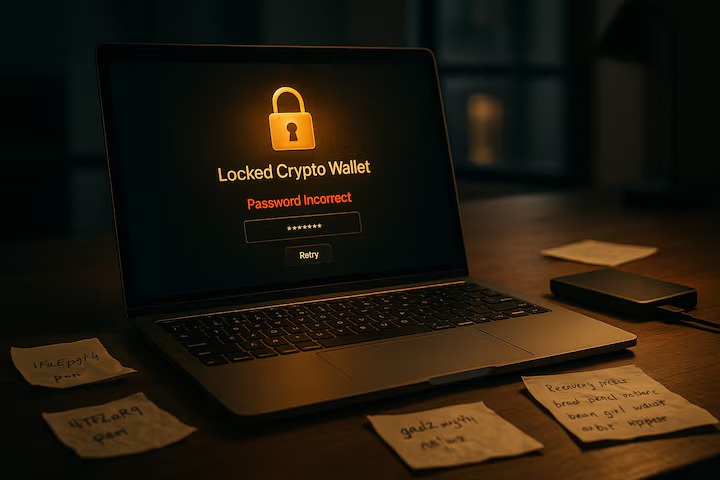
Seed Phrase (Recovery Phrase):
Dogecoin Wallet Types: A Comparative Analysis for 2026
Wallet Type | Sub-Category | Security Level | Best For | Primary Risks |
Hot Wallet | Mobile/Desktop App | Medium | Daily transactions, small balances | Device malware, phishing attacks |
Hot Wallet | Web Browser | Low-Medium | Quick access, minimal balances | Browser exploits, fake sites |
Cold Wallet | Hardware Wallet | Very High | Long-term storage, substantial holdings | Physical loss/damage, supply chain tampering |
Cold Wallet | Paper Wallet | High (if created correctly) | Technically adept users, deep cold storage | Physical degradation, user error |
- Mobile Wallets: Apps like Trust Wallet or Coinomi are user-friendly and ideal for carrying DOGE for tipping or small payments. According toThunes, mobile wallets account for the majority of small-value DOGE transactions in 2025. With mobile wallet users expected to reach 5.8 billion by 2029 and digital wallet transaction values projected to grow 73% in just five years.
- Desktop Wallets: Software like Dogecoin Core (official full node client) or Exodus gives users greater control and enhanced features. Running a full node adds to personal privacy and network health.
- 2026 Market Leaders: Ledger (Nano series) and Trezor (Model T) remain industry standards, supporting DOGE alongside many other cryptocurrencies.
- Security Validation: Having a robust security model of reputable hardware wallets and when used as intended can improve the security of one’s coins massively.
- Current Status: While they are theoretically secure against online attacks, paper wallets are prone to physical damage, and their use has declined with the advent of more user-friendly hardware wallets.
- Purchase from Official Channels: Always buy directly from the manufacturer's website to avoid tampered devices.
- Initialize the Device: Connect the wallet and set up a strong PIN code.
- Securely Record Your Seed Phrase: When prompted, the device will generate a recovery phrase. Write it down on the provided backup sheet with a pen and never store it digitally.
- Install Companion Software: Download the official app (e.g., Ledger Live or Trezor Suite) to manage your wallet.
- Add a Dogecoin Account: Within the app, find "Add Account" and select Dogecoin (DOGE). Your public address will be generated from your secured seed phrase.
- Transfer a Test Amount: Send a small amount of DOGE from your exchange account to your hardware wallet to confirm everything works properly.
Advanced Security Protocols and Best Practices for 2026
- Enforce 2FA Everywhere: Always use app-based 2FA (Google Authenticator, Authy) on your email and exchange accounts. Avoid SMS-based 2FA due to SIM-swap risks.
- Cultivate Phishing Awareness: Always verify website URLs before entering sensitive information. Bookmark official sites like MEXC’s login portal.
- Maintain Software Hygiene: Regularly update your wallet app, device firmware, and operating systems. Research shows that many security breaches are caused by outdated software.
- Consider Multi-Signature (Multisig) Setups: For high-value holdings or shared treasuries, multisig wallets enhance security by requiring multiple private keys to authorize a transaction.
The Future of Storage: Emerging Trends in 2026
- Regulatory Integration: Wallets and services are increasingly adopting tools to comply with global regulations like the FATF Travel Rule, affecting larger transactions.
- Biometric Authentication: Mobile and hardware wallets are leveraging secure enclaves with fingerprint or facial recognition for added transaction security.
- Decentralized Identity (DID): While still experimental, DID frameworks could offer new wallet recovery methods through verified social connections.
Conclusion
FAQ: Storing Dogecoin Safely
Popular Articles

How to Stake Cardano? ADA Staking Guide for Beginners
Looking to earn passive income with your Cardano holdings? Staking ADA offers a straightforward way to generate rewards while supporting network security. This guide covers everything from basic staki

Lido Staking: Earn ETH Rewards Without Locking Your Assets
Want to earn passive income from your Ethereum holdings without giving up access to your funds?Lido staking solves the biggest problem with traditional ETH staking—locked assets and high entry barrier

USDT Staking: How to Earn Interest on Tether with High APY Rates
Earning passive income from cryptocurrency doesn't always mean riding volatile price swings. USDT staking offers a way to generate returns on your Tether holdings while maintaining the stability of a

How to Buy Dogecoin (DOGE) on MEXC: Low Fees, Fast Execution & Safety Guide for Beginners
Dogecoin (DOGE), originally introduced as a meme coin in 2013, has come a long way from its playful beginnings to become one of the most recognized cryptocurrencies in the world. Despite its inflation
Hot Crypto Updates
Nine-Figure Net Worth: The New Milestone in Wealth Creation
The concept of nine-figure net worth, ranging from $100 million to just under $1 billion, marks a critical threshold in the modern economy distinguishing ultra-high-net-worth individuals (UHNWIs) from
Dogecoin (DOGE) Bullish Price Prediction
Introduction to Bullish DOGE OutlookOptimistic investors often look to bullish price predictions for Dogecoin (DOGE) to identify the coin's growth potential during favorable market cycles. A bullish o

Dogecoin (DOGE) 7-day Price Change
The Latest Dogecoin (DOGE) price has shown notable short-term fluctuations over the past week, reflecting shifting sentiment around meme coins and broader market conditions. In this article, we'll exa
BOB (BOB) Price Updates: Latest Market Movements and Cryptocurrency Trading Insights
Staying updated with the latest price updates of BOB (BOB) helps crypto traders and investors monitor market shifts, track cryptocurrency volatility, and make timely investment decisions in the crypto
Trending News
FCA komt in 2026 met aangepaste cryptoregels voor Britse markt
De Britse financiële waakhond, de FCA, komt in 2026 met nieuwe regels speciaal voor crypto bedrijven. Wat direct opvalt: de toezichthouder laat enkele klassieke financiële verplichtingen los om beter
VivoPower’s $300M Investment in Ripple Triggers 13% Stock Rally
VivoPower International and Lean Ventures formed a $300 million joint venture to purchase Ripple Labs equity, targeting institutional and retail investors in South
Milk Mocha’s 40-Stage Presale Explained
The post Milk Mocha’s 40-Stage Presale Explained appeared on BitcoinEthereumNews.com. Crypto Projects Discover how Milk Mocha’s 40-stage presale builds clarity
OCC Grants Ripple Conditional Approval For Banking License
The post OCC Grants Ripple Conditional Approval For Banking License appeared on BitcoinEthereumNews.com. In a major Ripple news, the crypto firm has received a
Related Articles
How to Buy Dogecoin (DOGE) on MEXC: Low Fees, Fast Execution & Safety Guide for Beginners
Dogecoin (DOGE), originally introduced as a meme coin in 2013, has come a long way from its playful beginnings to become one of the most recognized cryptocurrencies in the world. Despite its inflation

What is dogecoin? Origins, Mechanism, Meme Culture, and Why It Still Matters
In a crypto landscape often dominated by sober white papers, serious development roadmaps, and heavy‑duty technical jargon, Dogecoin stands out as different-friendly, ironic, community‑driven. While i

How to Manage Sub-Accounts
1. What is a Sub-AccountUnder your MEXC account, you can set up multiple sub-accounts to assist you in your daily trading activities. For example, you can use one sub-account for spot trading and anot
MEXC Futures Funding Rates: How to Check, Calculate & Optimize Costs
Have you ever experienced this? You predicted the market direction correctly in a futures trade, yet your profits kept shrinking, or your balance mysteriously dropped? The culprit might be something m
