
Deposit EUR via Online Bank Transfer

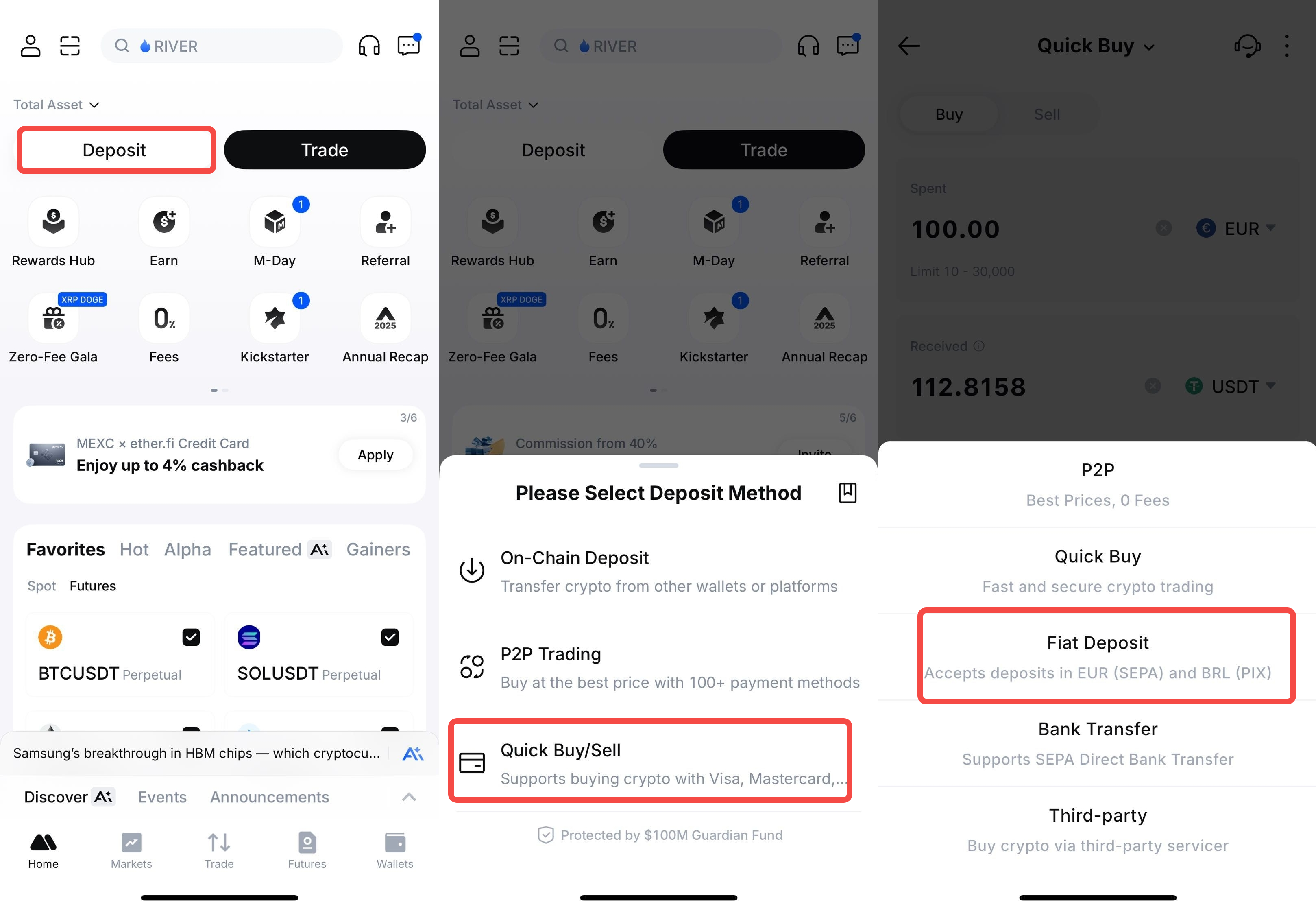
Step 1: Navigate to Fiat Deposit
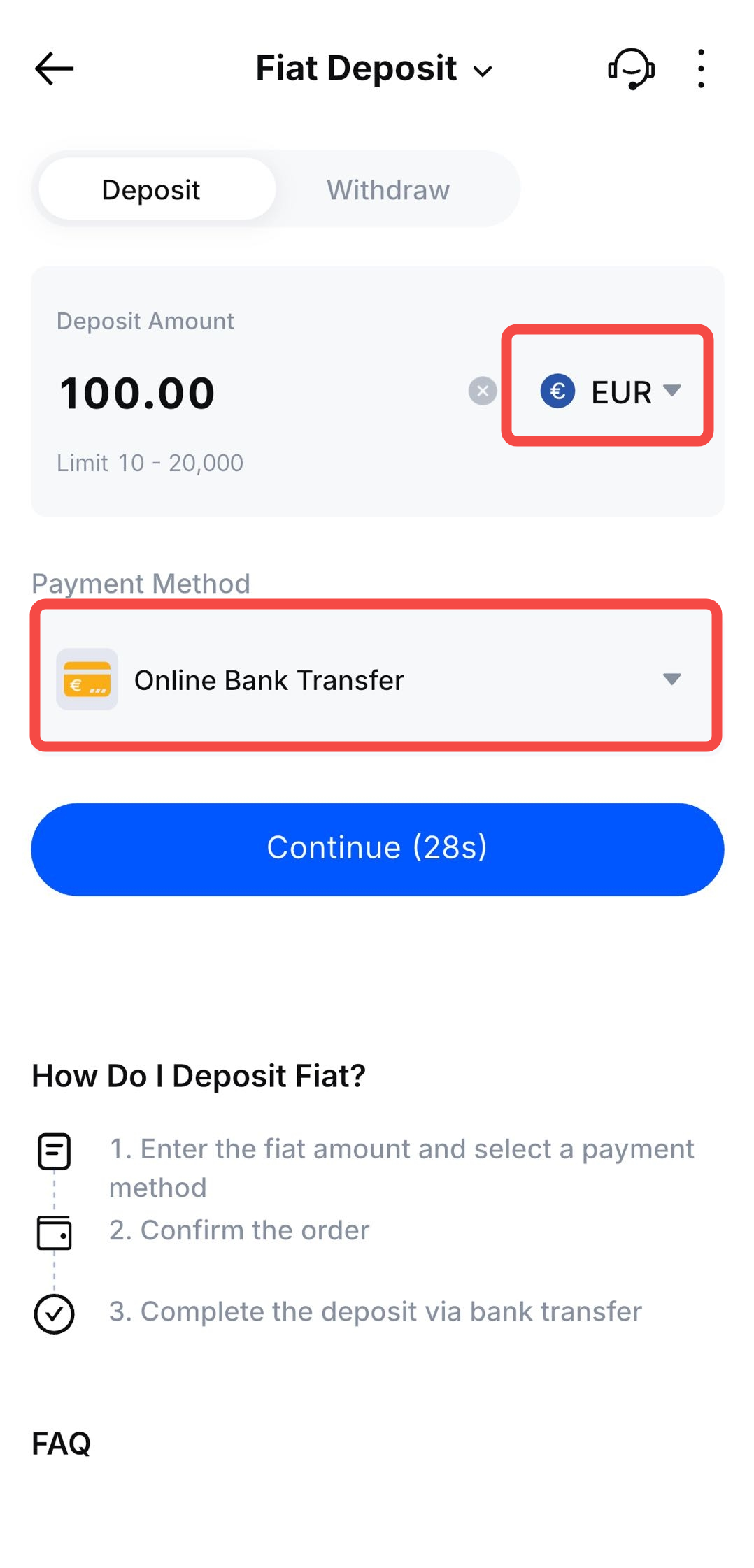
Step 2: Enter Deposit Details
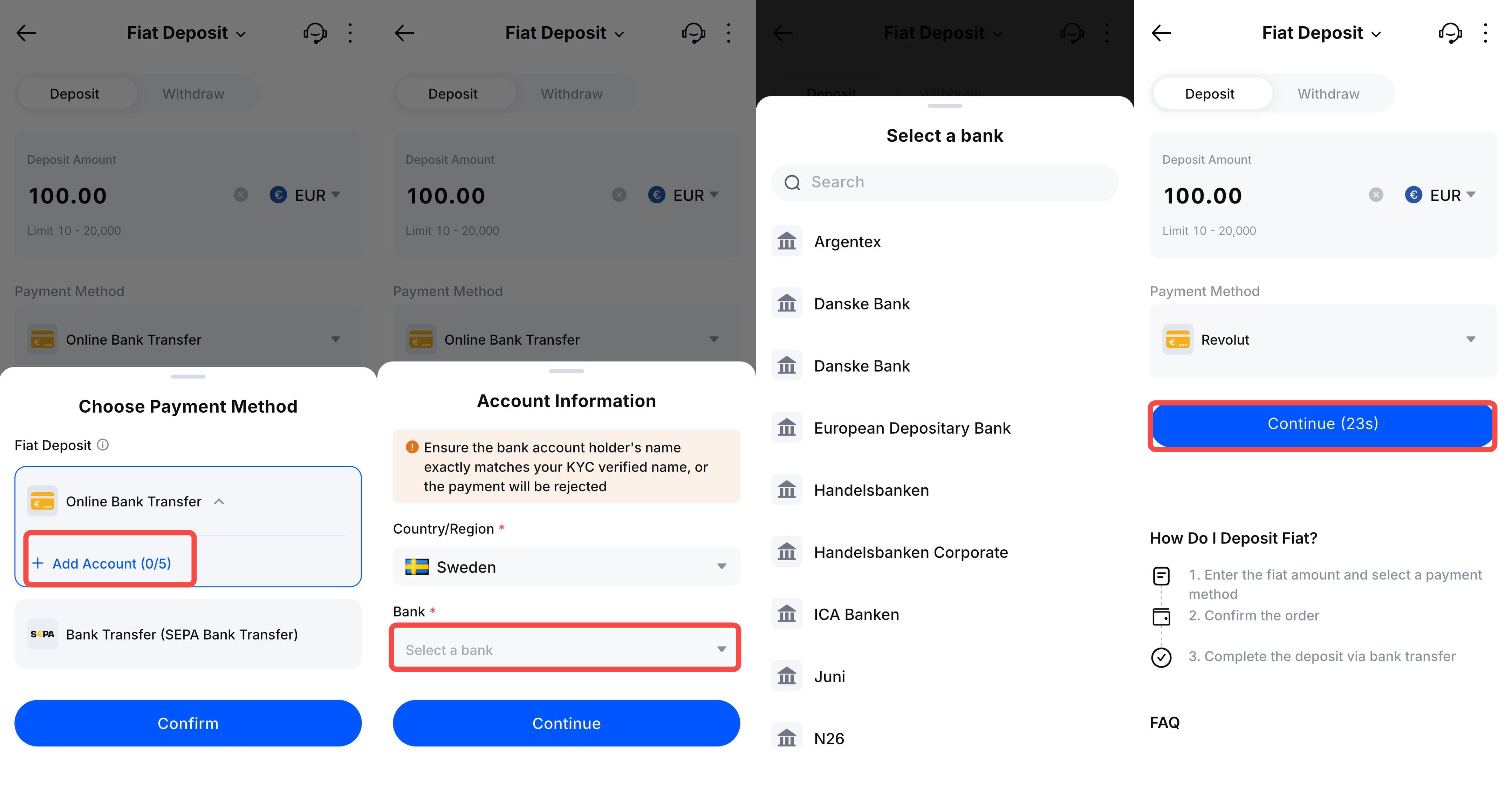
Step 3: Add Your Bank Account
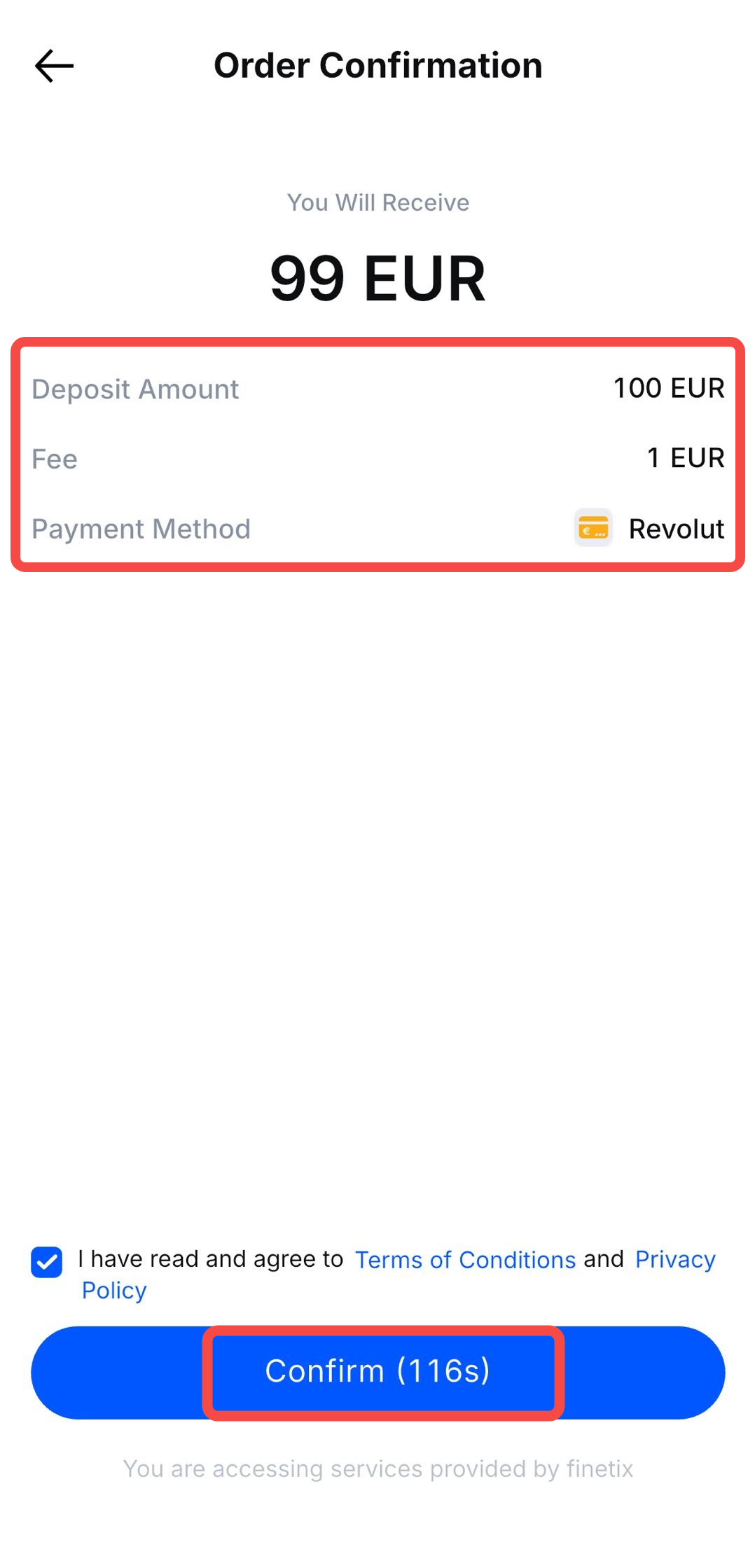
Step 4: Confirm Your Order
Step 5: Authorize Payment in Your Banking App
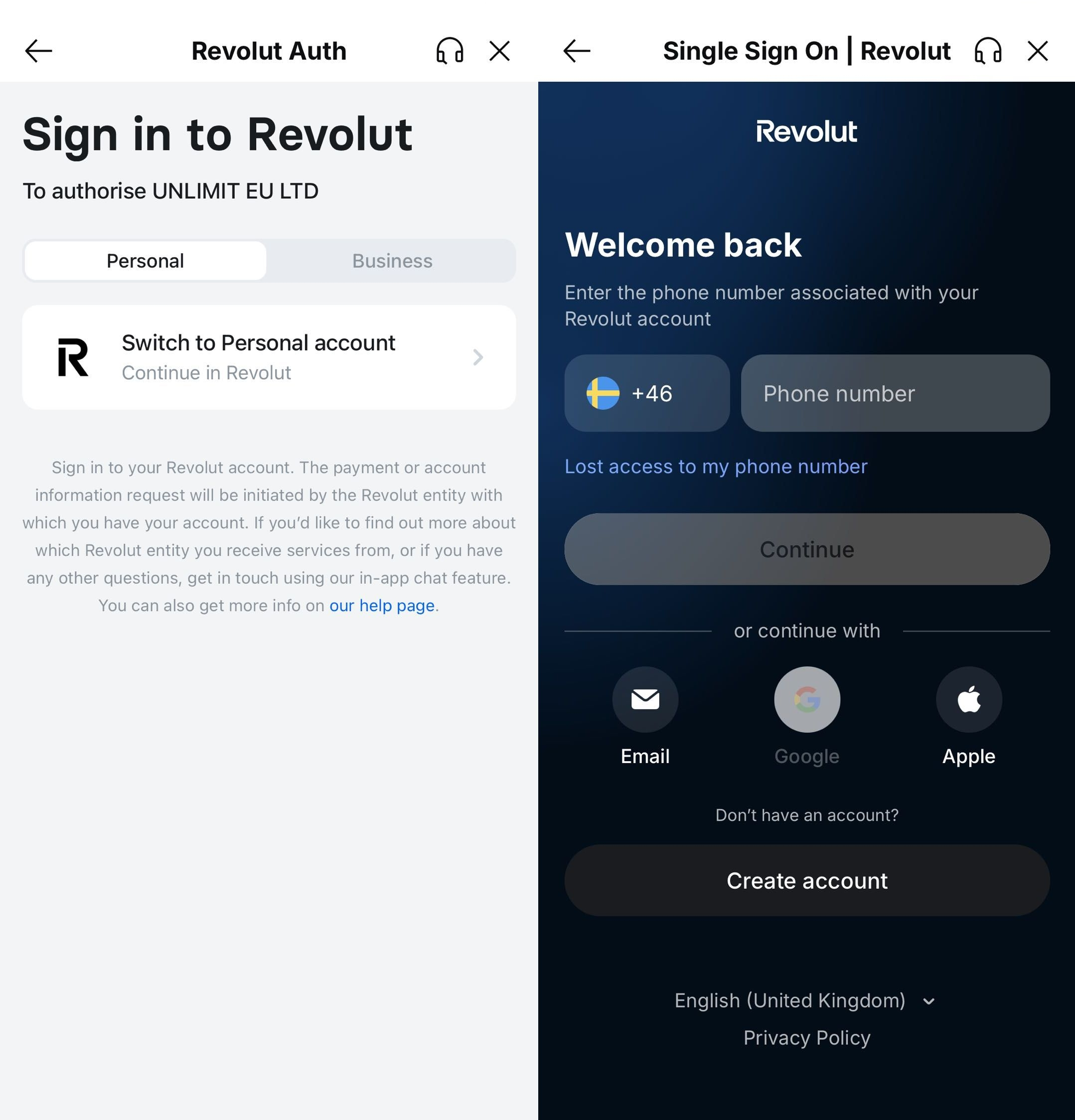
Step 6: Receive Your EUR Instantly
- Your EUR deposit will be credited to your Fiat Wallet
- Funds typically arrive within minutes

Important Notes
- This service is only available to verified KYC users from supported countries/regions.
- Fiat Deposit Limits: Maximum per transaction: 20,000 EUR | Daily maximum: 200,000 EUR
Deposit Instructions
- Ensure that the bank account used for deposits matches the name on your KYC verification.
- The final deposit amount credited to your MEXC account will be based on the actual transfer amount.

Articole conexe
How to Apply for the MEXC × ether.fi Credit Card
MEXC is pleased to partner withether.fito launch the enhancedMEXC × ether.fi Credit Card, offering upgraded cashback rewards that go beyond the standard ether.fi Card.Spend globally withApple PayorGoo

How to Buy Crypto via Google Pay and Apple Pay on MEXC?
Here is a step-by-step guide on how to buy crypto using Google Pay and Apple Pay:Note: Before you begin, please ensure that you have completed KYC verification. Without KYC verification, your purchase

Buy Crypto with Bank Transfer: Complete SEPA Payment Guide for Europe
Key TakeawaysBuy crypto with SEPA transfers for faster processing times (2 hours with SEPA Instant) and lower fees than traditional payment methods.SEPA crypto purchases are available in 30 European c

How to Buy Crypto with Credit/Debit Card: MEXC Step-by-Step Guide
Key TakeawaysMEXC accepts credit and debit cards from Visa and MasterCard networks across 38 supported countries with transparent 2% processing fees.You can buy crypto with credit card on MEXC after c
