Introduction As web developers, our browser is our primary workspace, and the right extensions can transform how we code, test, and browse. These four Chrome exIntroduction As web developers, our browser is our primary workspace, and the right extensions can transform how we code, test, and browse. These four Chrome ex

4 Chrome Extensions Every Developer Needs in 2025

2025/12/17 16:18

Introduction

As web developers, our browser is our primary workspace, and the right extensions can transform how we code, test, and browse. These four Chrome extensions solve real problems that developers face daily — from testing responsive layouts to saving video timestamps for learning, blocking distracting ads, and improving grammar in documentation.​

Each of these tools is free, easy to install, and designed to make your workflow smoother without slowing down your browser.

1. Window Resizer — Test Responsive Design Instantly

Download: https://chromewebstore.google.com/detail/clpflmgfapbjmlbajbkgadjjlbgaidgb

Window Resizer eliminates the guesswork from responsive design testing by letting you resize your browser to exact dimensions with one click. Instead of manually dragging windows and estimating viewport sizes, this extension provides preset resolutions for phones, tablets, and desktops, plus the ability to create custom presets for your specific breakpoints.​

Why developers love it:

  • Test at precise pixel dimensions (320px, 768px, 1024px, 1920px) instantly​
  • Customize and save your most-used screen sizes for faster testing​
  • Apply sizing to the entire window or just the viewport area​
  • Debug CSS media queries with accurate viewport measurements​

This is essential for anyone building responsive websites who needs to verify how layouts adapt across different devices without manually resizing or using browser DevTools constantly.

2. AdBlock Plus — Focus Without Distractions

Download: https://chromewebstore.google.com/detail/ijhioehnbkllpelkfgjhdppoanhmphfc

AdBlock Plus is the most popular ad blocker with over 500 million downloads, helping developers maintain focus by blocking pop-ups, video ads, banners, and intrusive tracking. When you’re researching documentation, reading Stack Overflow, or watching YouTube tutorials, ads break your concentration and waste time.​

Key features:

  • Blocks annoying ads including YouTube pre-rolls and mid-video interruptions​
  • Reduces third-party tracking to keep your browsing more private​
  • Protects against malicious ads containing viruses or phishing attempts​
  • Customizable settings to whitelist specific sites you want to support​
  • Works immediately after installation with optional “Acceptable Ads” feature​

The extension is fully compatible with Chrome’s latest security standards and never collects user information, prioritizing your privacy.​

3. YouTube Timestamp Saver — Never Lose Learning Moments

Download: https://chromewebstore.google.com/detail/ogchdkjjhoelgehjnpgdlfchbkdcfloo

For developers learning through YouTube tutorials, YouTube Timestamp Saver solves the frustrating problem of losing track of important moments in long videos. Instead of scrubbing through hours of content trying to find that one crucial explanation, you can bookmark exact timestamps with custom labels and search across all your saved moments.​

What makes it valuable:

  • Bookmark key moments in any YouTube video with one click​
  • Add custom names to each timestamp so you know exactly what it contains​
  • Search through all your bookmarks across multiple videos instantly​
  • Syncs with your Google account for access across devices​
  • Keyboard shortcut (Ctrl+Shift+Q or ⌘+⇧+E) to quickly save timestamps​

This is particularly useful when following coding tutorials, conference talks, or technical explanations where you need to reference specific sections later while implementing the concepts in your own projects.​

4. Gramo — Polish Your Writing

Download: https://chromewebstore.google.com/detail/jabokopjemhpbppppnjccpbgnekkgnge

While specific details about Gramo weren’t available in search results, grammar and writing enhancement extensions are essential for developers who write documentation, README files, commit messages, code comments, and technical blog posts. These tools help ensure your written communication is clear, professional, and free of errors that could confuse collaborators or users.

Typical features in grammar extensions:

  • Real-time spelling and grammar checking across all web text fields
  • Style suggestions to make technical writing clearer
  • Vocabulary enhancement for more precise language
  • Works in GitHub, GitLab, Google Docs, email, and content management systems

Installation Made Easy

All four extensions install through the Chrome Web Store in seconds. For each extension:​

  1. Click the download link provided above
  2. Select Add to Chrome on the extension page
  3. Review the permissions and click Add extension to confirm​
  4. Pin the icon to your toolbar for quick access

Chrome displays exactly what permissions each extension needs before installation, ensuring you stay in control of what extensions can access.


4 Chrome Extensions Every Developer Needs in 2025 was originally published in Coinmonks on Medium, where people are continuing the conversation by highlighting and responding to this story.

Piyasa Fırsatı
4 Logosu
4 Fiyatı(4)
$0.02124
$0.02124$0.02124
-6.59%
USD
4 (4) Canlı Fiyat Grafiği
Sorumluluk Reddi: Bu sitede yeniden yayınlanan makaleler, halka açık platformlardan alınmıştır ve yalnızca bilgilendirme amaçlıdır. MEXC'nin görüşlerini yansıtmayabilir. Tüm hakları telif sahiplerine aittir. Herhangi bir içeriğin üçüncü taraf haklarını ihlal ettiğini düşünüyorsanız, kaldırılması için lütfen service@support.mexc.com ile iletişime geçin. MEXC, içeriğin doğruluğu, eksiksizliği veya güncelliği konusunda hiçbir garanti vermez ve sağlanan bilgilere dayalı olarak alınan herhangi bir eylemden sorumlu değildir. İçerik, finansal, yasal veya diğer profesyonel tavsiye niteliğinde değildir ve MEXC tarafından bir tavsiye veya onay olarak değerlendirilmemelidir.

Ayrıca Şunları da Beğenebilirsiniz

Bitcoin ETF Investors React to Fed’s Decision

Bitcoin ETF Investors React to Fed’s Decision

The post Bitcoin ETF Investors React to Fed’s Decision appeared on BitcoinEthereumNews.com. In a surprise move, spot Bitcoin ETFs experienced their first significant daily outflows in over a week, following the Federal Reserve’s adjusted policy outlook. This shift reflects the market’s readiness to respond to any hint of change on the regulatory landscape, as well as its sensitivity to central bank cues. Continue Reading:Bitcoin ETF Investors React to Fed’s Decision Source: https://en.bitcoinhaber.net/bitcoin-etf-investors-react-to-feds-decision
Paylaş
BitcoinEthereumNews2025/09/18 18:51
US Senators Introduce SAFE Crypto Act to Target Rising Crypto Scams
US Senators Introduce SAFE Crypto Act to Target Rising Crypto Scams

The post US Senators Introduce SAFE Crypto Act to Target Rising Crypto Scams appeared first on Coinpedia Fintech News Crypto scams are getting faster, smarter and
Paylaş
CoinPedia2025/12/17 18:33
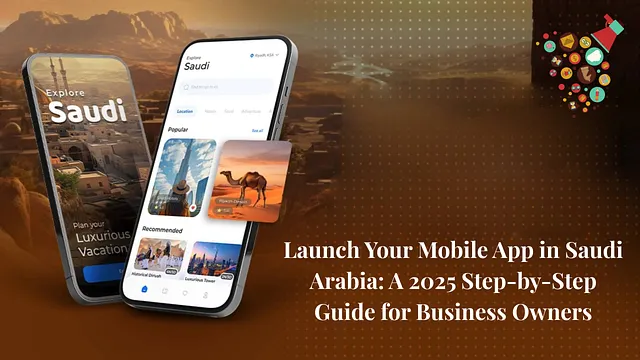
From Idea to App Store: The Complete Guide to Mobile App Development in Saudi Arabia

From Idea to App Store: The Complete Guide to Mobile App Development in Saudi Arabia

Saudi Arabia is at the forefront of digital transformation. With Vision 2030 driving innovation and a rapidly growing population of tech-savvy users, mobile apps have become a core driver of business growth in the Kingdom. From e-commerce and fintech to healthcare, logistics, and on-demand services, Saudi businesses are embracing mobile apps to connect with customers and scale faster. But how do you take a mobile app idea and turn it into a successful launch on the App Store or Google Play? This guide breaks down the complete mobile app development process in Saudi Arabia — step by step. Step 1: Validate Your App Idea for the Saudi Market Before you start building, ask: What problem does my app solve for Saudi users? Is there a cultural or market gap my app can fill? How do local competitors approach the same challenge? For example, apps related to digital payments, e-learning, delivery services, and healthcare are in high demand across Saudi Arabia. Conducting market research and aligning your app idea with local user behavior is critical. Step 2: Plan Features with Local Needs in Mind Your app should start with an MVP (Minimum Viable Product) — a core version that solves the main problem. Later, you can scale with advanced features. In Saudi Arabia, consider adding: Arabic language support (essential for user adoption) Integration with local payment gateways like STC Pay, Mada, or Apple Pay Regulatory compliance (especially for fintech and health apps) Localization for user preferences (Hijri calendar, cultural UI elements) Step 3: Select the Right Development Approach You can choose: Native Apps (Swift for iOS, Kotlin for Android) — Great for scalability and performance. Cross-Platform Apps (Flutter, React Native) — Cost-effective for startups targeting both iOS and Android simultaneously. Hybrid Apps — Suitable for simpler apps with limited features. For Saudi startups and enterprises, cross-platform development is often preferred to reach a wider audience quickly and efficiently. Step 4: Design With a Local Touch The design must balance global usability standards with local cultural relevance. UI (User Interface): Clean, modern visuals that align with Saudi branding. UX (User Experience): Simple navigation, clear Arabic text support, and intuitive flows. Wireframing & Prototyping: Test early with Saudi users to ensure adoption. A user-friendly design is one of the top reasons apps succeed in the Kingdom’s competitive market. Step 5: Develop Your Mobile App Once the design is ready, the coding begins. Saudi app development companies often follow Agile methodology, ensuring flexibility and faster delivery. Front-End Development: Interface and user interactions. Back-End Development: Databases, servers, and APIs. Integration: Secure connections between front-end and back-end. Strong collaboration between developers, designers, and business analysts ensures your app aligns with Saudi market needs. Step 6: Testing Across Devices and Networks Saudi users rely on different devices and network speeds. That’s why rigorous testing is critical: Functionality Testing: Features work as expected. Performance Testing: The app runs smoothly on both 4G and 5G networks. Localization Testing: Arabic text displays correctly, without alignment issues. Security Testing: Data protection compliance with Saudi cybersecurity standards. Step 7: App Store & Google Play Launch in Saudi Arabia To publish your app: Apple App Store (iOS): Requires an Apple Developer account and strict guideline compliance. Google Play Store (Android): Faster approval but still requires detailed app info. You’ll also need metadata in both English and Arabic — titles, descriptions, and screenshots — to maximize visibility among Saudi users. Step 8: Market Your App in Saudi Arabia Launching an app is only the beginning. You need a marketing strategy tailored to the Kingdom: App Store Optimization (ASO): Use Arabic and English keywords. Social Media Campaigns: Leverage platforms like Snapchat, Twitter (X), and Instagram, which are highly popular in Saudi Arabia. Influencer Marketing: Collaborate with Saudi influencers for early traction. Paid Ads: Google Ads and Saudi-focused Facebook/Instagram ads. Partnerships: Collaborate with local businesses to reach a wider audience. Step 9: Gather Feedback and Optimize Once your app is live, monitor: User reviews on app stores Analytics on engagement, retention, and churn rates Suggestions from Saudi users for culturally relevant features Continuous updates and improvements are vital to stay competitive. Step 10: Scale With Advanced Features Once your MVP gains traction, you can expand with advanced features such as: AI and machine learning for personalization Blockchain-based payments for fintech apps AR/VR features for retail and gaming apps IoT integration for smart home and mobility solutions Saudi Arabia’s digital ecosystem is growing rapidly — apps that adapt quickly will thrive. Conclusion Mobile app development in Saudi Arabia is not just about building an app — it’s about aligning with Vision 2030, cultural needs, and user expectations. By following a clear process — from idea validation to launch and beyond — you can transform your concept into a profitable digital product. Whether you’re a startup or an enterprise in Saudi Arabia, the opportunity is massive. With the right strategy, you can move from idea to App Store and create an app that truly resonates with Saudi users. From Idea to App Store: The Complete Guide to Mobile App Development in Saudi Arabia was originally published in Coinmonks on Medium, where people are continuing the conversation by highlighting and responding to this story
Paylaş
Medium2025/09/18 14:46